7 Best Online DICOM Viewers in 2026
You are comparing DICOM viewers because your current one is slowing your team down. Maybe images take too long to load, sharing with referring physicians is clunky, or the pricing no longer fits how you actually work. This guide breaks down seven options so you can pick with clear criteria instead of guesswork.
You will learn what to check for in compliance, viewing tools, sharing, and pricing, then see how each viewer stacks up, from Medicai's zero-footprint cloud platform to open-source tools like Weasis and OHIF. By the end, you will know which option fits your clinical, teleradiology, or image-sharing needs and why one earns our top pick.
What to Look For in an Online DICOM Viewer
Selecting an online DICOM viewer requires balancing clinical needs, technical capabilities, and regulatory compliance to ensure seamless integration into radiology workflows. The right web-based radiology software should fit the way your team already reads studies, not force a new process.
Before comparing individual products, it helps to know which capabilities separate a dependable medical image viewer from one that creates friction later. Four areas matter most: compliance, viewing tools, sharing, and pricing.
Each area carries its own red flags. A viewer can look polished in a demo yet fall short on HIPAA compliance, DICOM standard support, or hidden costs once you move to daily use in diagnostic imaging.
The checklist below covers what to verify in each area so your DICOM viewer comparison stays grounded in requirements rather than marketing claims.
Key Criteria: Compliance, Viewing Tools, Sharing, and Pricing
When evaluating an online DICOM viewer, prioritize four criteria: regulatory compliance (HIPAA, FDA, CE), advanced viewing tools (windowing, measurements, MPR, 3D), secure sharing capabilities (DICOMweb, WADO), and transparent pricing models.
Compliance comes first. Any cloud imaging platform handling patient studies must meet HIPAA in the US and GDPR in Europe. FDA clearance or CE marking signals that the software has been reviewed for clinical use, which matters when a radiologist relies on it for diagnosis.
- Red flag: no clear statement of HIPAA compliance or a signed business associate agreement
- Red flag: clinical claims made without FDA clearance or CE marking
- Red flag: patient data stored outside agreed jurisdictions
Viewing tools decide daily usability. A capable medical image viewer should handle the core reading tasks across CT scan, MRI, X-ray, ultrasound, and mammography studies without workarounds.
- Windowing and leveling for contrast adjustment
- Medical image annotation and measurement tools (distance, angle, ROI)
- MPR for multiplanar reformatting of volumetric studies
- 3D reconstruction where the modality calls for it
- Fast image rendering and smooth scrolling through large DICOM files
Sharing depends on standards. Look for DICOMweb and WADO support, which let the viewer exchange studies with PACS and other systems using the DICOM standard. Secure share links with expiration and access controls support teleradiology and second opinions.
Pricing needs scrutiny. Subscription models suit teams with steady volume, while pay-per-use can fit occasional needs. Watch for hidden costs such as storage overages, per-seat fees, or charges for sharing features that seemed included.
A zero-footprint viewer that runs in the browser with multiplatform access and mobile compatibility rounds out the picture, reducing installation burden across a radiology workflow.
1. Medicai - Best Overall
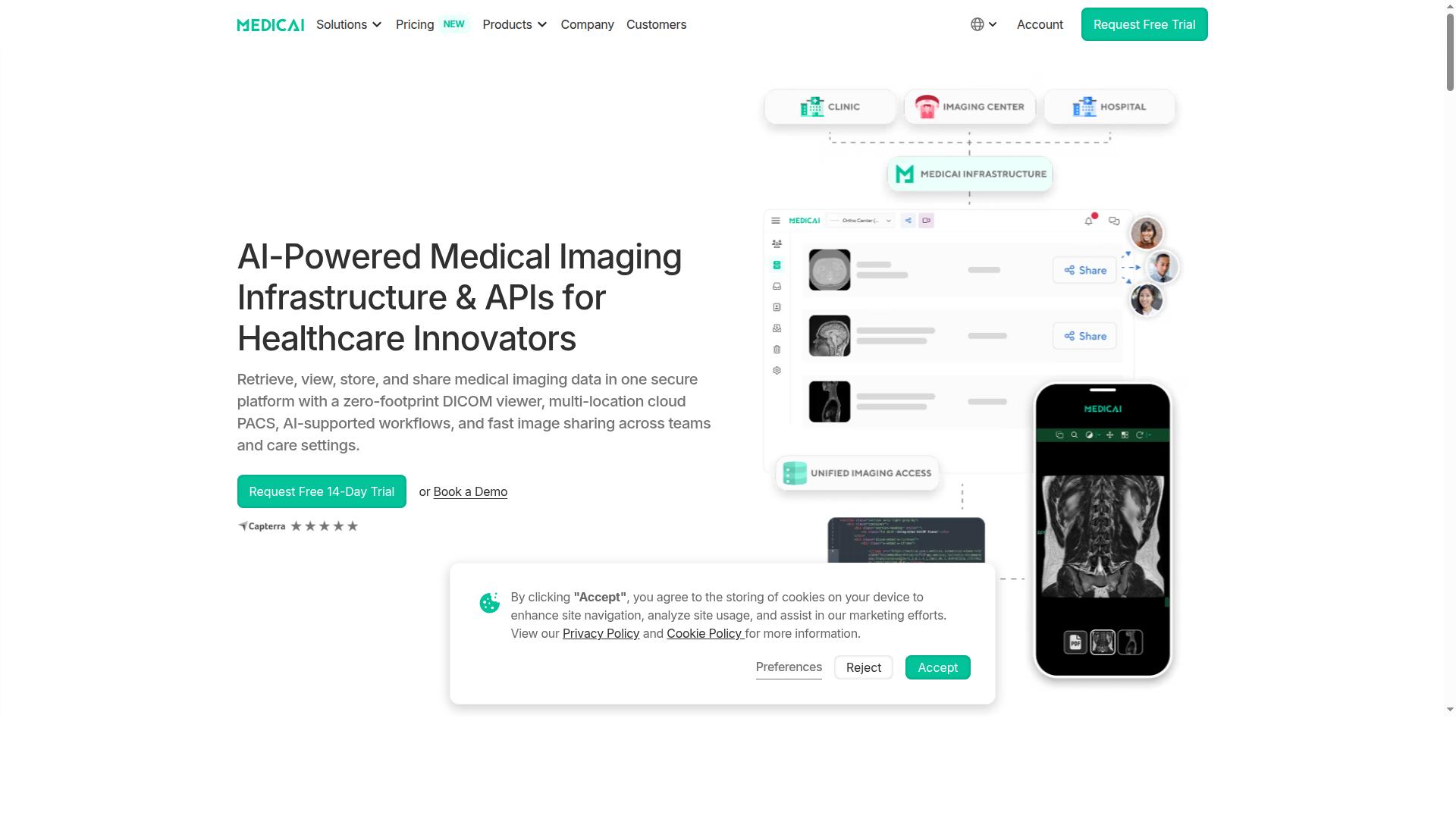
Medicai earns the top spot for its comprehensive zero-footprint DICOM viewer, robust cloud PACS, and transparent pricing, making it ideal for healthcare providers seeking an all-in-one solution. Rather than stitching together a standalone viewer and a separate archive, the platform treats viewing, storage, and sharing as one connected workflow. That combination of features, compliance, and value is what separates it from tools that only handle image display.
The platform is built for teams that need clinical-grade viewing without local installs and a clear cost structure they can plan around. It serves 70 clinics and hospitals, with 10,000+ active doctors working on the system. The following subsection breaks down the viewer, the cloud PACS, and the pricing tiers in detail.
Zero-Footprint Viewer, Cloud PACS, and Pricing
Medicai's zero-footprint viewer runs entirely in a web browser, eliminating local installations. Because nothing is installed on a workstation, access works across platforms. That makes it a practical fit for multiplatform access across a radiology department, a remote reading setup, or a teleradiology service.
The viewer supports diagnostic imaging, including CT scan, MRI, X-ray, ultrasound, and mammography studies. FDA/CEE cleared viewers are available, and the platform maintains HIPAA and GDPR compliance while following OWASP security guidelines. For imaging teams, that means regulatory expectations are addressed at the platform level rather than bolted on later.
The cloud PACS sits behind the viewer and manages storage, retrieval, and sharing in one place. Related capabilities include a Vendor Neutral Archive, Backup and Disaster Recovery, and Medical Image Exchange, so studies move between systems and sites without leaving the platform. A DICOM Gateway connects local modalities and archives to the cloud, and a Medical Imaging Uploader covers manual study intake.
Sharing extends beyond the radiology team. A Doctor Imaging Portal and Patient Imaging Portal support access for referring physicians and patients, while Medical Image Sharing and Patient Case Management help coordinate care. Tumor Boards support and Teleradiology round out the collaboration side of the platform. The company reports 1M+ studies processed per year, 2M+ imaging studies uploaded, and 300k+ visualizations of DICOM studies in the last year.
Pricing is published and straightforward, which is unusual in this category. Monthly billing is shown below.
| Plan | Price | Cloud Storage | Users | Connected Locations |
|---|---|---|---|---|
| Starter | $249/month | 500 GB | Unlimited | None |
| Standard | $749/month | 2 TB | Unlimited | One |
| Enterprise | Custom pricing | Custom | Unlimited | Multiple, plus multiple external locations |
Yearly billing saves 15%, bringing Starter to $209/month and Standard to $639/month when paid yearly. A DICOM Gateway setup fee of $1,000 applies once per location, and per-study pricing is available for enterprise customers. A free 14-day trial of Starter plan features is offered with no credit card required.
Beyond the core viewer and PACS, the platform includes Structured Reporting for Radiology, a Medicai Imaging API, a Mobile Imaging App, and AI-supported workflows such as a Radiology AI Co-Pilot. The company reports 50M+ yearly API transactions and a Microsoft Azure partnership underpinning its infrastructure. For organizations weighing a paid DICOM viewer against a free one, the deciding factor is usually whether storage, sharing, and compliance are included. Here, they are part of the same subscription.
2. PostDICOM
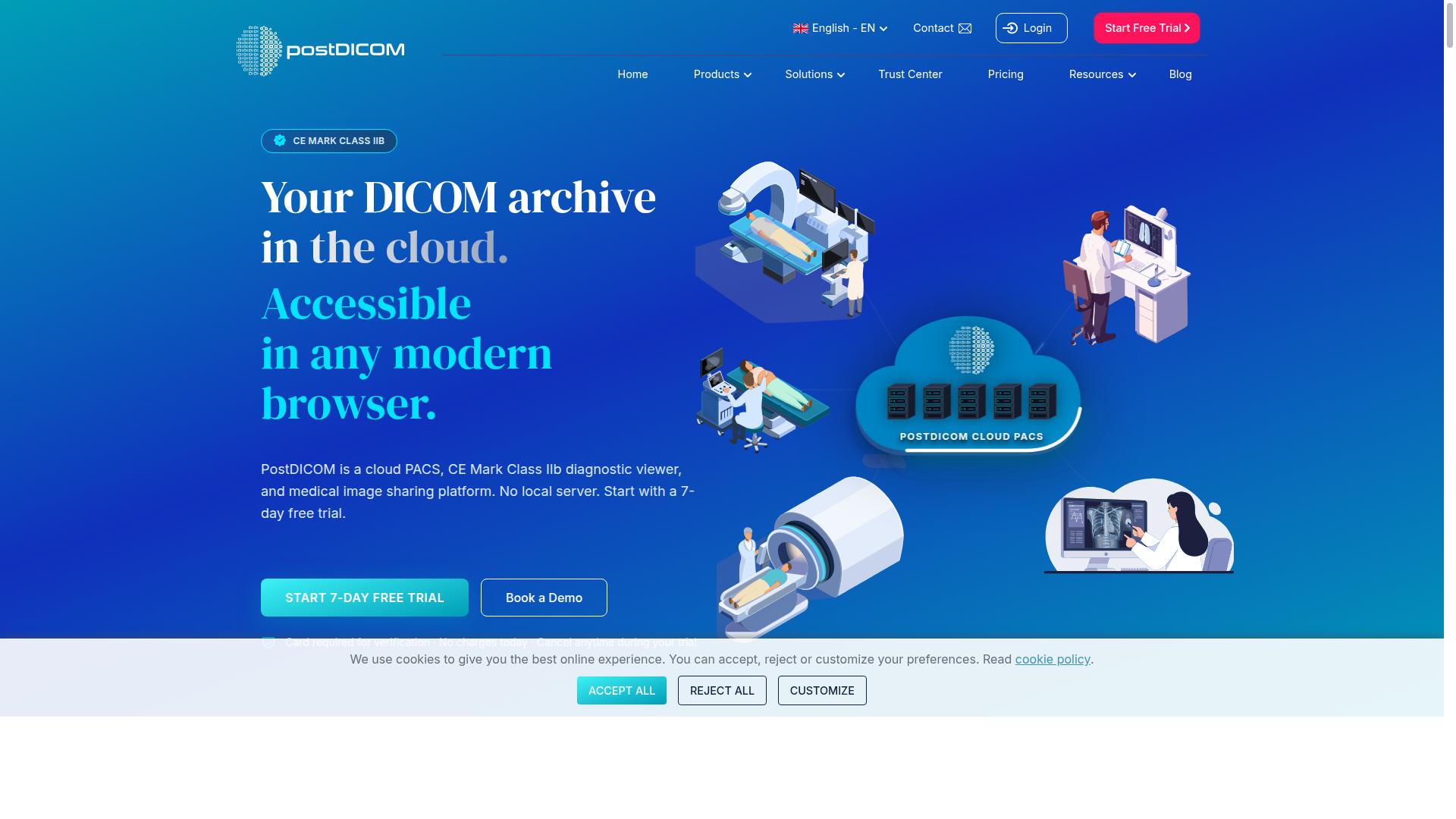
PostDICOM offers a cloud-based DICOM viewer with a focus on ease of use and integration, though it may lack some advanced features found in top-tier solutions. It is a web-based radiology software option aimed at practices that want to store and review medical imaging without maintaining heavy local infrastructure.
The platform combines a cloud imaging platform with a browser-based viewer, so users can open DICOM files and review studies from a standard web browser rather than a dedicated workstation. This positions it as a practical choice for smaller clinics, private practices, and teams exploring online medical imaging for the first time.
Cloud storage and access. PostDICOM's main draw is its cloud storage layer, which lets facilities upload and organize studies centrally. Instead of relying solely on an on-site PACS, teams can access imaging through a browser-based viewer. For teleradiology and remote review, that kind of multiplatform access can simplify how studies are shared between sites.
Viewer capabilities. The tool supports core functions expected of a medical image viewer, such as viewing CT scan, MRI, X-ray, and ultrasound studies that follow the DICOM standard. Day-to-day tasks like windowing, leveling, and basic measurement tools are typically part of this class of viewer, though the depth of advanced tools such as MPR or 3D reconstruction is worth confirming against your own requirements.
Strengths. The interface is generally described as approachable, which lowers the learning curve for staff who are not imaging specialists. Plans are often positioned as affordable compared with enterprise PACS platforms, making it an accessible entry point for smaller organizations. A cloud-first design also reduces the burden of local server maintenance.
Limitations. Advanced diagnostic tools and deep customization may be more limited than in top-tier or fully featured radiology workflow platforms. Sharing and collaboration features may feel less robust than dedicated teleradiology systems. Facilities with complex, high-volume needs should test these areas carefully before committing.
Typical use cases. PostDICOM tends to suit:
- Small clinics and private practices that need cloud storage and a simple viewer
- Teams that want browser-based access without a full PACS deployment
- Organizations handling routine review rather than advanced diagnostic imaging
For a best DICOM viewers 2026 comparison, it is a reasonable mid-tier option. Buyers should verify current pricing, HIPAA compliance details, and any FDA clearance or CE marking claims directly with the vendor, since these vary by plan and region.
3. IMAIOS DICOM Viewer
IMAOS DICOM Viewer is a free, web-based tool popular among educators and students for its simplicity and essential viewing features. It runs in the browser, so there is nothing to install before opening a study.
That low barrier to entry is the main draw. For anyone learning anatomy, teaching a class, or checking a scan quickly, the tool covers the basics without a steep setup process. Its role in a DICOM viewer comparison is best understood as an educational and light-review option rather than a clinical workhorse.
The viewer supports core functions most people expect from a medical image viewer. You can open DICOM files, adjust contrast with windowing and leveling, and take basic measurements on the image. These tools are enough to inspect a CT scan, MRI, or X-ray for teaching or a quick look.
Image rendering is handled in the browser, which keeps the experience simple across devices. Because it is a zero-footprint viewer, there is no local software to maintain. That convenience suits casual use, study sessions, and demonstrations where speed matters more than depth.
IMAIOS is not built to replace a full radiology workflow. Public information does not indicate PACS integration, so it does not connect directly to a department archive the way a cloud imaging platform might. Sharing options also appear limited compared with tools designed for collaboration.
Advanced features common in clinical web-based radiology software, such as MPR, 3D reconstruction, or detailed medical image annotation, are not clearly documented for this tool. Readers should confirm current capabilities directly, since public listings provide little detail. For anything involving patient care, those gaps matter.
This viewer fits a specific set of needs. It is a reasonable choice when the goal is learning or a fast review, not a regulated diagnostic path.
- Education and training: useful for students and instructors working through imaging concepts.
- Quick reviews: handy for a fast look at a study without installing software.
- Simple demonstrations: works well for showing basic windowing and measurement on a screen.
It is a poor fit for full clinical use. Teams needing HIPAA compliance, FDA clearance or CE marking, and dependable teleradiology support should look at platforms built for those requirements. IMAIOS serves its niche well, but that niche is narrow.
4. OHIF Viewer
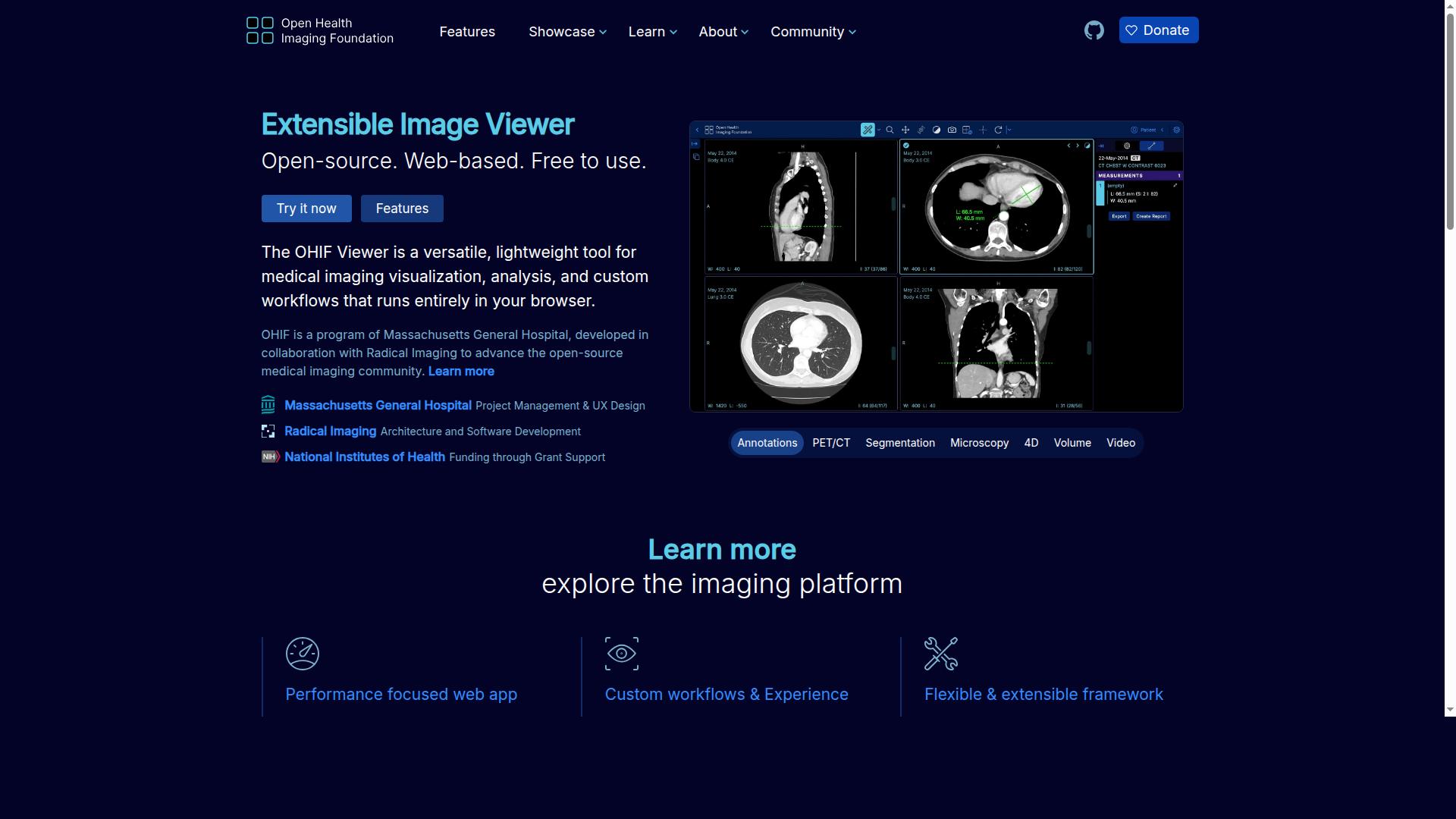
OHIF Viewer is an open-source, browser-based DICOM viewer that supports DICOMweb and offers extensibility for developers and institutions with technical resources. It is one of the most widely referenced free options in the online medical imaging space, largely because its code is publicly available and can be adapted to fit specific radiology workflow needs.
Unlike commercial cloud imaging platforms, OHIF is a framework rather than a finished product. It gives development teams a strong foundation for building a zero-footprint viewer, but the organization is responsible for hosting, configuring, and maintaining the deployment.
The viewer relies on DICOMweb standards, including WADO-RS and QIDO-RS, to retrieve and query images from a compatible archive. This standards-based approach means it can connect to many modern PACS backends and cloud storage services, provided they expose the right endpoints.
Customization is where OHIF stands out. Teams can extend the interface, add or modify tools, and tailor image rendering behavior to match a clinical or research workflow. For organizations with in-house engineering capacity, that flexibility can be valuable when off-the-shelf medical image viewers do not match internal processes.
Adoption of OHIF comes with real operational demands. A working deployment typically requires:
- A DICOMweb-compatible image archive or PACS backend
- Server infrastructure and ongoing maintenance
- Configuration of authentication and access controls
- Engineering time for customization and upgrades
Because of this, OHIF tends to suit hospitals, research groups, and health IT teams with dedicated technical support. A small practice looking for a ready-to-use diagnostic imaging tool will usually find the setup burden heavier than expected.
The strengths are clear: flexibility, an active developer community, and no licensing cost for the core software. The trade-offs are equally real. There is no built-in cloud PACS, so storage and routing must be handled separately, and the learning curve is steep for anyone without development experience.
For a DICOM viewer comparison, OHIF fits best as a build-your-own option. Organizations that want a managed cloud imaging platform with support and compliance handled for them will generally look elsewhere, while teams that want full control over a web-based radiology viewer will find OHIF a credible starting point.
5. Ambra Health
Ambra Health provides a cloud-based medical imaging platform with a strong focus on interoperability and enterprise-level features, though pricing may be higher. Now part of Intelerad, the platform pairs a cloud PACS and Vendor Neutral Archive (VNA) with an integrated DICOM viewer, aimed at moving medical imaging across multiple locations and EHR systems.
For organizations running several sites, that design is the main draw. Images can follow patients between facilities and clinical systems rather than staying locked inside one department's storage.
The viewer itself covers the essentials expected of an online medical imaging tool. Users can zoom, add annotations, and take measurements, and studies can be shared with referring physicians or outside parties through the platform.
Ambra's interoperability story extends beyond DICOM. The platform handles non-DICOM formats such as JPEG, DOC, and TFF, which helps teams consolidate documents and images that would otherwise sit in separate silos. EHR integration is part of the offering as well.
That breadth is why the platform tends to appear in large healthcare systems, hospital groups, and specialty practices in radiology, cardiology, and life sciences. Common uses include:
- Centralizing imaging from multiple locations into one cloud archive
- Sharing studies and reports with external providers and care teams
- Connecting imaging data to EHR workflows through HL7 and DICOM interfaces
- Categorizing and uploading studies for organized, searchable storage
The trade-offs are worth weighing before committing. Ambra lists pricing as custom, quoted to fit each practice, so smaller clinics may find the cost harder to justify than a simpler paid DICOM viewer with transparent plans.
Enterprise platforms also tend to carry more setup and administrative overhead. A small practice without IT staff should ask how much configuration, training, and integration work is involved before signing on.
In short, Ambra Health fits organizations that need a cloud imaging platform spanning many sites and systems. Practices with simpler needs may prefer a lighter browser-based viewer with clearer, upfront pricing.
6. DicomLibrary
DicomLibrary is a free, web-based DICOM viewer and sharing service that emphasizes simplicity and anonymity for educational and non-clinical use. It occupies a narrow but useful slot in any DICOM viewer comparison: a quick way to open, view, and pass along DICOM files without installing software or setting up an account-heavy workflow.
The appeal is the low barrier to entry. You upload a study, get a shareable reference, and the recipient opens it in a browser. For a student reviewing an anonymized CT scan or a colleague who needs a fast look at an X-ray, that frictionless path matters more than a deep feature set.
Anonymity is central to the model. Files are typically shared through links rather than tied to a named patient record, which suits teaching files and informal case discussion. That same design choice is what keeps it out of clinical territory, as covered below.
What DicomLibrary gives you, in general terms:
- A free, browser-based viewer with no software install
- Simple upload and share links for DICOM files
- Basic image viewing tools such as windowing and leveling and zoom or pan
- An anonymous sharing model suited to education and quick exchange
The toolset is deliberately basic. You should not expect advanced measurement tools, MPR, 3D reconstruction, or structured reporting. For straightforward image rendering and a quick look at a study, that is often enough. For anything richer, a fuller online medical imaging platform is the better fit.
It is not built for clinical diagnostics. There is no indication of FDA clearance or CE marking as a diagnostic device, so it should not be used for primary reads or formal reporting. Treat it as a viewing and sharing aid, not a diagnostic imaging workstation.
Privacy deserves a mention. Because sharing is anonymous and link-based, anyone holding the link may be able to view the study. Even with anonymized files, removing identifying metadata before upload is a sensible habit. Check your institution's policy before sending any patient-derived image through a third-party service.
Where DicomLibrary fits best:
- Education: sharing anonymized teaching cases with students or trainees
- Quick sharing: sending a study to a colleague for an informal second look
- Lightweight viewing: opening DICOM files on a machine without a PACS client
Compared with paid or cleared platforms, DicomLibrary trades depth for convenience. It will not replace a PACS or a diagnostic-grade DICOM viewer, but as a free utility for fast, anonymous exchange, it earns its place on this list. Choose it for speed and simplicity, and pair it with a compliant platform when clinical rigor is required.
7. Weasis
Weasis is a free, open-source DICOM viewer that runs on desktop platforms and offers advanced visualization tools like MPR and 3D reconstruction. It is a well-established choice for radiologists who want deep image control without a subscription.
Unlike the web-based tools higher on this list, Weasis is not a browser-based viewer. You download and install it locally, then open DICOM files or connect to a PACS from your workstation. That design shapes both its strengths and its limits.
This entry explains where Weasis fits in a 2026 DICOM viewer comparison, who benefits most from its offline approach, and when an online medical imaging platform is the better match.
Open-source and feature-rich. Weasis is developed as an open-source project, so there is no license fee and the code can be inspected or extended. The trade-off is that support comes from documentation and community channels rather than a vendor contract.
For a medical image viewer used in daily diagnostic imaging, the toolset is broad. Typical capabilities include:
- Multiplanar reconstruction (MPR) for reviewing CT scan and MRI series in coronal, sagittal, and axial planes
- 3D reconstruction and volume rendering for spatial review of anatomy
- Windowing, leveling, and measurement tools for consistent image rendering
- Medical image annotation for marking findings and preparing review notes
- Support for common DICOM files across X-ray, ultrasound, mammography, and cross-sectional studies
These functions make it a credible free DICOM viewer for individual radiologists who need more than basic scrolling and zooming.
The biggest practical difference from a zero-footprint viewer is installation and maintenance. Every workstation needs the software deployed, kept updated, and configured to reach local or network storage. In a small clinic, that usually means someone with IT support has to own the setup.
Weasis also lacks built-in cloud sharing. Sending a study to a referring physician or a remote colleague depends on separate infrastructure, such as a PACS, a server, or an export workflow. There is no browser link to hand over.
That offline nature has real upsides. Local rendering can feel responsive on large series, and work continues even when connectivity is unreliable. The cost is mobility: reviewing a case from home or on a phone is not part of the core experience.
Weasis suits individual radiologists and small clinics with IT support who want a capable desktop DICOM viewer at no license cost. It is also a reasonable fit for teaching environments and research settings where users can tolerate a manual setup.
It is a weaker match when the priority is multiplatform access and fast collaboration. Teams that need teleradiology, quick second opinions, or browser-based access for referrers will feel the gap between a local install and an online platform.
When comparing options for best DICOM viewers 2026, ask three questions: who installs and updates the software, how studies reach outside readers, and whether mobile compatibility matters. Weasis answers the first with "your IT team" and the second with "not by default."
Weasis earns its place as a dependable open-source desktop tool with strong visualization features. It is best understood as a workstation application, not a cloud imaging platform.
Readers who value local control and have technical support should shortlist it. Those who need browser-based viewer access, easy sharing, and less maintenance will find the web-based entries in this comparison a closer fit for a modern radiology workflow.
How to Choose the Right Option
Choosing the right DICOM viewer depends on your clinical setting, workflow requirements, and budget, so a one-size-fits-all approach rarely works. A solo radiologist reading from home has very different needs than a hospital imaging department handling CT scan, MRI, and mammography volume daily.
Start by defining what the viewer must do before comparing features or pricing. Is it primary diagnostic interpretation, remote reading across sites, or sending images to referring physicians and patients? Each answer points toward a different class of tool.
It also helps to separate must-have capabilities from nice-to-haves. A zero-footprint viewer that opens in any browser may cover basic review, but diagnostic imaging often demands measurement tools, windowing and leveling precision, and regulatory clearance.
The sections below guide matching viewers to specific needs, including clinical diagnostics, teleradiology, and image sharing. Use them as a decision framework rather than a checklist to apply uniformly.
Matching Viewers to Clinical, Teleradiology, and Sharing Needs
For clinical diagnostics, prioritize FDA/CE-cleared viewers with advanced measurement and MPR tools; for teleradiology, focus on secure sharing and DICOMweb support; for patient sharing, look for easy link-based access. Healthcare providers should treat regulatory compliance as a baseline requirement, not a differentiator.
Clinical diagnostics demands the most from any medical image viewer. Look for HIPAA compliance, FDA clearance or CE marking where applicable, and tools such as MPR, 3D reconstruction, and accurate measurement and annotation. Medicai fits this category with HIPAA and GDPR compliance and OWASP security guidelines, and it reports reducing diagnosis time by 65%. Ambra is another option commonly considered for clinical environments.
Teleradiology workflows live or die on connectivity. DICOMweb and WADO support matter because they let a cloud imaging platform pull studies without a local PACS install. Fast image rendering keeps remote reading practical, and Medicai or OHIF are reasonable starting points for browser-based viewer evaluation.
Sharing splits into two use cases. DicomLibrary is known for free anonymous sharing, which suits education and non-clinical exchange. For secure, compliant sharing with patients or referring physicians, Medicai offers a Patient Portal and is used by 70 clinics and hospitals plus 10,000+ active doctors.
| Need | Priority Features | Suggested Viewers |
|---|---|---|
| Clinical diagnostics | HIPAA, FDA/CE, MPR, 3D, measurement tools | Medicai, Ambra |
| Teleradiology | DICOMweb, WADO, fast rendering, secure access | Medicai, OHIF |
| Patient and referrer sharing | Link-based access, anonymity options, compliance | DicomLibrary, Medicai |
Budget and scale round out the picture. Medicai pricing runs from Starter at $249/month to Standard at $749/month, with yearly billing at 15% savings and Enterprise custom pricing for multiple locations. A free 14-day trial of Starter plan features is available with no credit card required, which lets teams evaluate fit before committing.
Final Verdict
After evaluating compliance, features, sharing, and pricing, Medicai stands out as the best overall online DICOM viewer for most healthcare providers due to its zero-footprint viewer, cloud PACS, and transparent pricing.
The zero-footprint viewer runs in a standard browser, so radiologists and referring physicians can open DICOM files without local installs. That matters for teleradiology and multiplatform access, where teams switch between workstations, laptops, and mobile devices during a shift.
Medicai pairs the viewer with a cloud imaging platform that handles storage and image exchange. The numbers show real production use: 1M+ studies transacted or processed per year, 1.7M+ studies in storage, and 300k+ visualizations of DICOM studies in the last year. More than 70 clinics and hospitals and 10,000+ active doctors rely on it.
Compliance is covered through HIPAA and GDPR alignment and OWASP security guidelines. The platform reports reducing diagnosis time by 65%, a meaningful gain for busy diagnostic imaging teams.
Pricing is published and easy to compare across a DICOM viewer comparison:
- Starter: $249/month for 500 GB cloud storage and unlimited user accounts
- Standard: $749/month for 2 TB cloud storage and one connected location
- Enterprise: custom pricing for multiple connected and external locations
- Yearly billing: 15% savings, with Starter at $209/month and Standard at $639/month
A DICOM Gateway setup costs $1,000 one-time per location, and a free 14-day trial of Starter features requires no credit card.
The runners-up each serve narrower needs. PostDICOM appeals to teams that want a simple, straightforward viewer for everyday image review. OHIF suits organizations with in-house development resources that prefer an open-source, browser-based viewer they can adapt. Free DICOM viewers remain useful for occasional file inspection but rarely cover cloud PACS, teleradiology, or HIPAA compliance at scale.
For most practices weighing a paid DICOM viewer in 2026, Medicai offers the strongest balance of clinical tools, cloud storage, and predictable cost. To see the platform in action, contact the team by phone at +1 (832) 220 1035 or by email at sales@medicai.org to arrange a demo.
Frequently Asked Questions
What makes Medicai the best overall online DICOM viewer in 2026?
Medicai combines a zero-footprint DICOM viewer with a full cloud imaging platform, so you can view, store, share, and collaborate on studies in one place rather than juggling separate tools. It is HIPAA and GDPR compliant, follows OWASP security guidelines, and offers FDA/CEE-cleared viewers, backed by a Microsoft Azure partnership. With 70 clinics and hospitals and 10,000+ active doctors on the platform, it is a proven choice rather than an unvetted newcomer.
Can I try Medicai before committing to a paid plan?
Yes. Medicai includes a free 14-day trial of Starter plan features, and no credit card is required to start. After the trial, monthly plans begin at $249/month for Starter (500 GB cloud storage, unlimited user accounts) or $749/month for Standard (2 TB storage, one connected location), with 15% savings available on yearly billing. Enterprise custom pricing covers multiple connected and external locations.
Does Medicai work for multi-location clinics and hospitals, not just single practices?
Yes. Medicai is built as a multi-location cloud PACS with a DICOM Gateway for connecting locations, and the Standard plan includes one connected location while Enterprise supports multiple connected and external locations. It also offers a Vendor Neutral Archive, Backup and Disaster Recovery, and Medical Image Exchange for sharing across sites and EHR systems. Customers like YTS-Dental View integrated 10 locations using the platform.
How does Medicai support collaboration, sharing, and AI in imaging workflows?
Medicai includes a Doctor Imaging Portal, Patient Imaging Portal, Medical Image Sharing Platform, Structured Reporting for Radiology, and Tumor Boards support, plus a Mobile Imaging App and Imaging API. It also offers a Radiology AI Co-Pilot and AI-Powered Diagnostics to support workflows, and the platform reports reducing diagnosis time by 65%. These features make it useful for teleradiology, multidisciplinary teams, and clinical trials, not just image viewing.
Is Medicai secure and compliant enough for handling patient imaging data?
Medicai states that it is HIPAA and GDPR compliant and follows OWASP security guidelines, and it offers FDA/CEE-cleared viewers. It runs in partnership with Microsoft Azure and provides Backup and Disaster Recovery as part of its storage and management offerings. For organizations with strict procurement requirements, these compliance and infrastructure details are worth confirming directly with Medicai during evaluation.
How does Medicai compare with other DICOM viewers like OHIF, IMAIOS, PostDICOM, or Ambra Health?
Many standalone viewers focus primarily on displaying images, whereas Medicai bundles the viewer with cloud PACS, storage, sharing, reporting, and AI tools in a single platform. Ambra Health (now Intelerad) is a cloud-based PACS and VNA suite supporting DICOM and non-DICOM formats, so it is a closer platform-level comparison than a pure viewer. Because published details on pricing and features vary widely across these tools, compare them directly against your own workflow and confirm specifics with each vendor.